StocksDeveloper Static IP Setup
Bring Your Own IP (BYOIP) to StocksDeveloper - save your StaticIP.in proxy once, then apply it to any trading account.
Your four values
Every entry below comes from your StaticIP.in dashboard, under an issued IP's details. The host shown
there will look like dc-mum-XXX.staticip.in - the exact number depends on which server your
IP was issued from, so use whatever your dashboard actually shows, not a fixed value. You can enter
either that hostname or the raw IP address in the Proxy IP field - both work identically.
HOST (OR IP)
dc-mum-…(dashboard)
PORT
443
USERNAME
sip_…
PASSWORD
••••••••
Setup steps
-
In StocksDeveloper, open Settings → My Proxies.
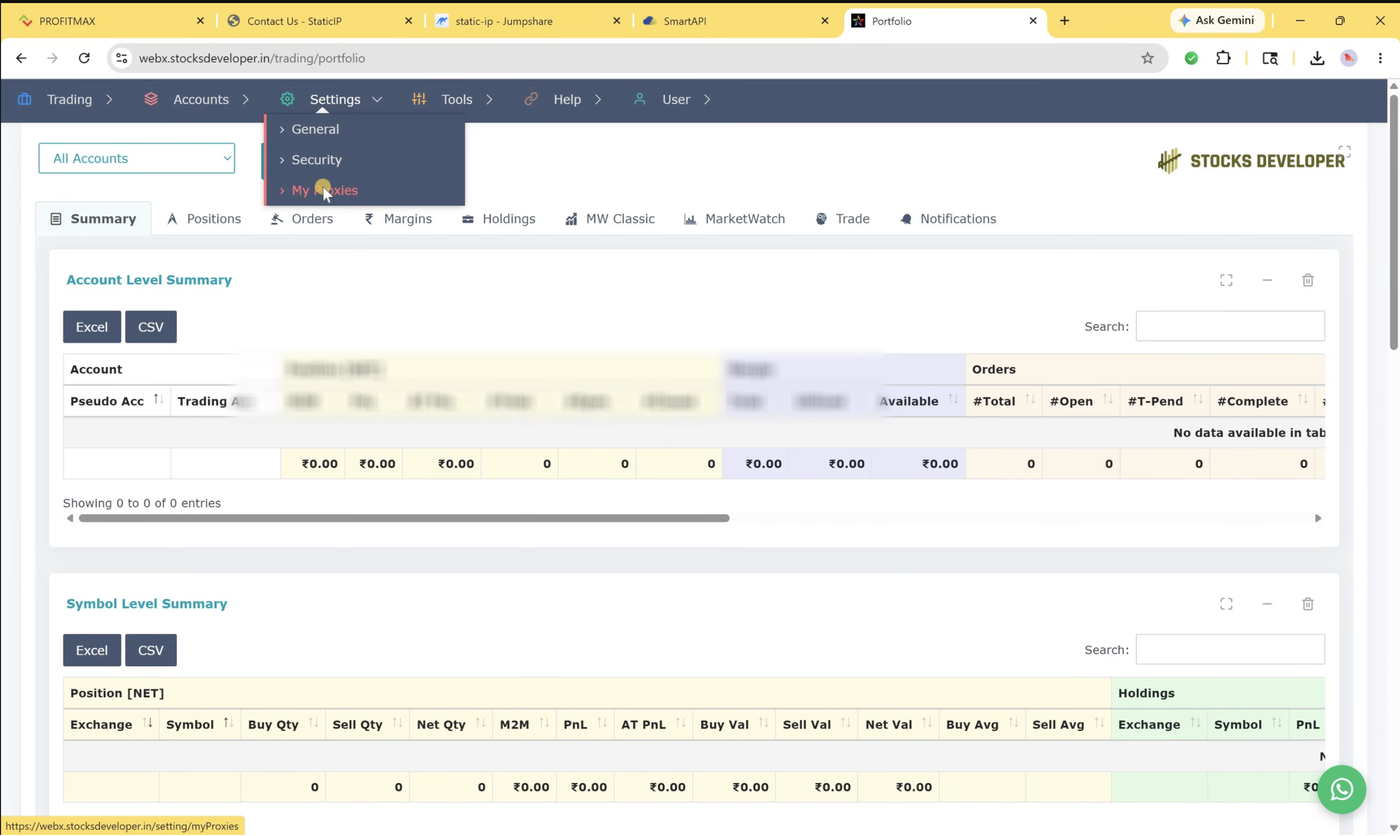 My Proxies stores your proxy details once - you can reuse the same saved proxy across multiple trading accounts.
-
Click + Add Proxy. You'll be asked for a Label, Host, Port, and an optional Username/Password.
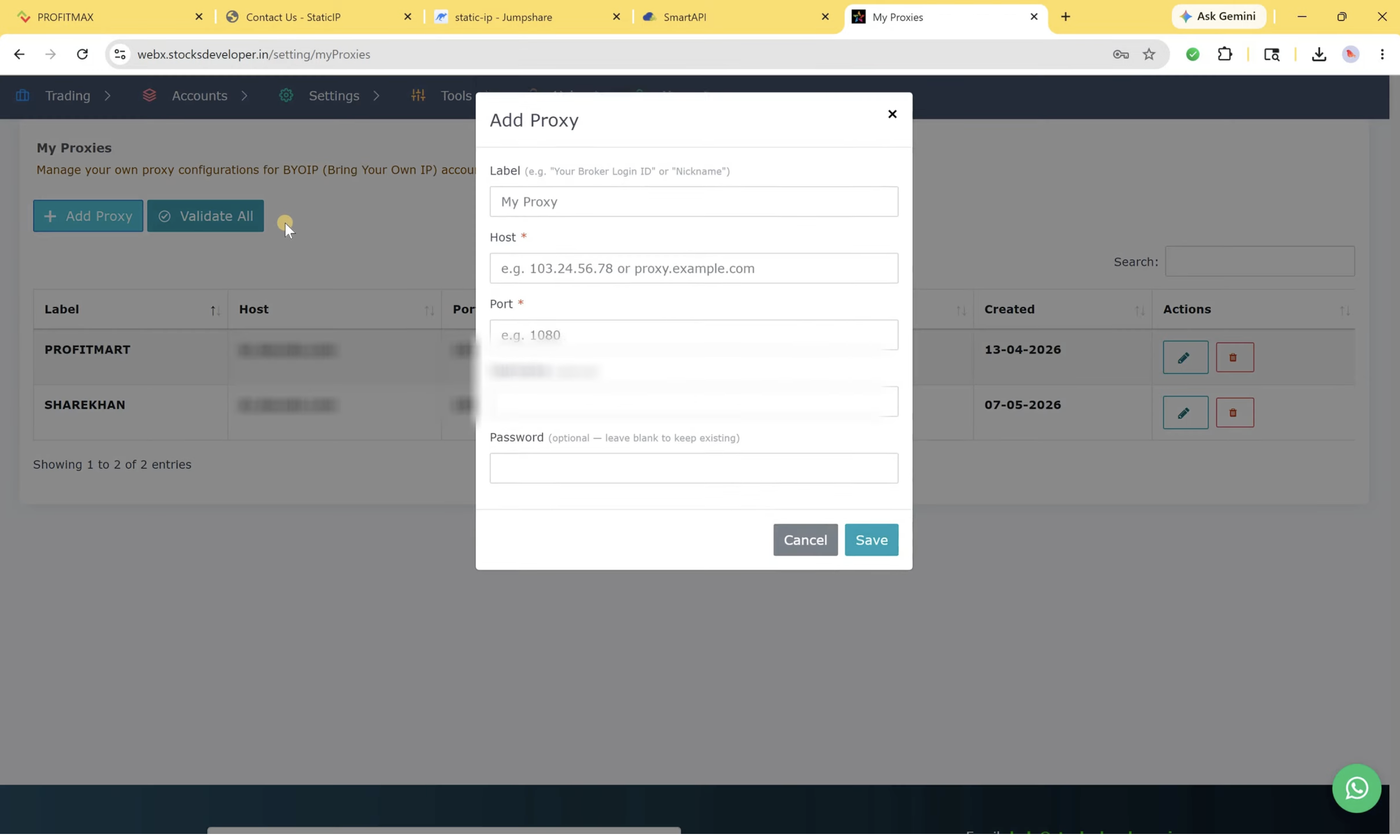 Host and Port are required; Username/Password are optional in this form but required for StaticIP.in's authenticated proxy.
-
Fill in: Label = any name you'll recognize (e.g. your broker nickname), Host = your StaticIP.in Host, Port = 443, Username and Password from your dashboard. Click Save.
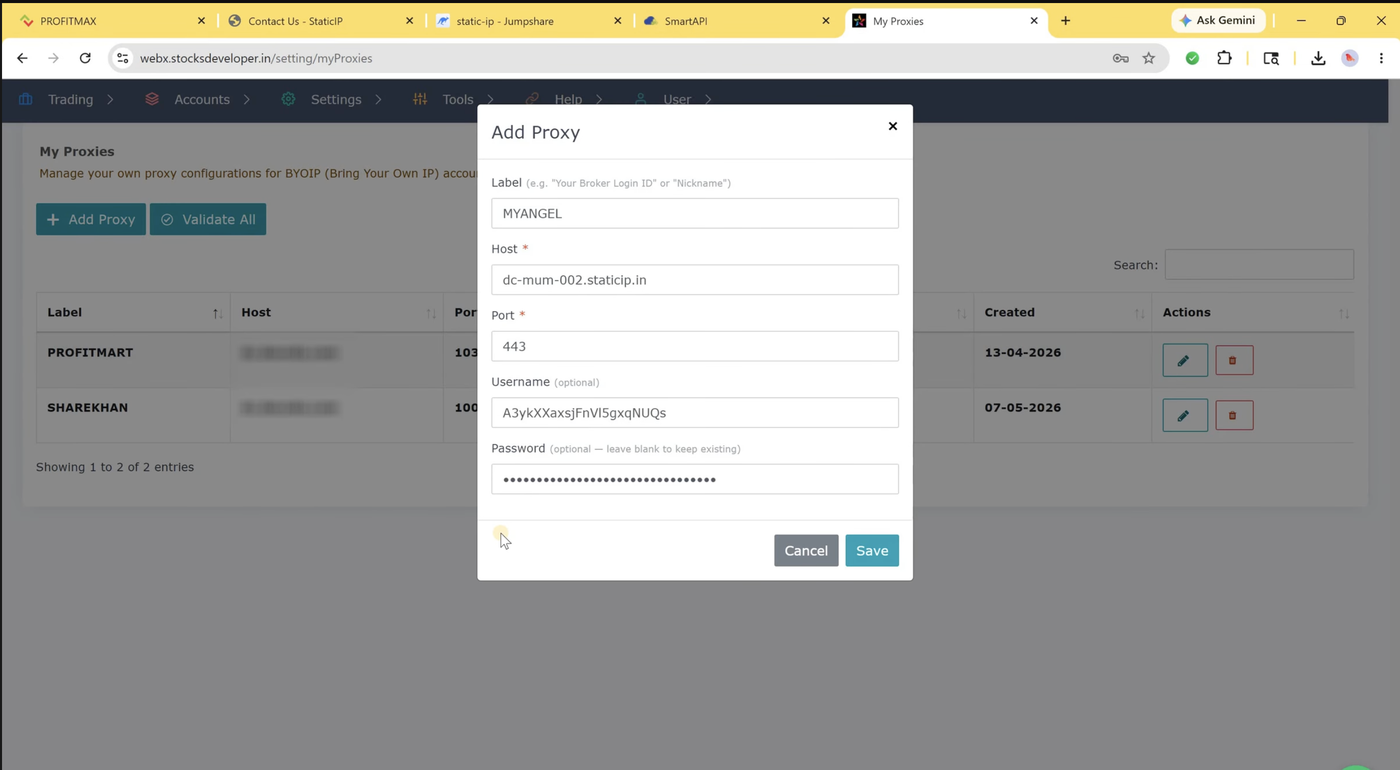 Host, Port, Username, and Password all come from your StaticIP.in dashboard - the Label is just for your own reference.
-
Open the trading account you want routed through this proxy (Accounts → Trading Accounts → edit), then click Bring Your Own IP instead of Auto-Assign IP.
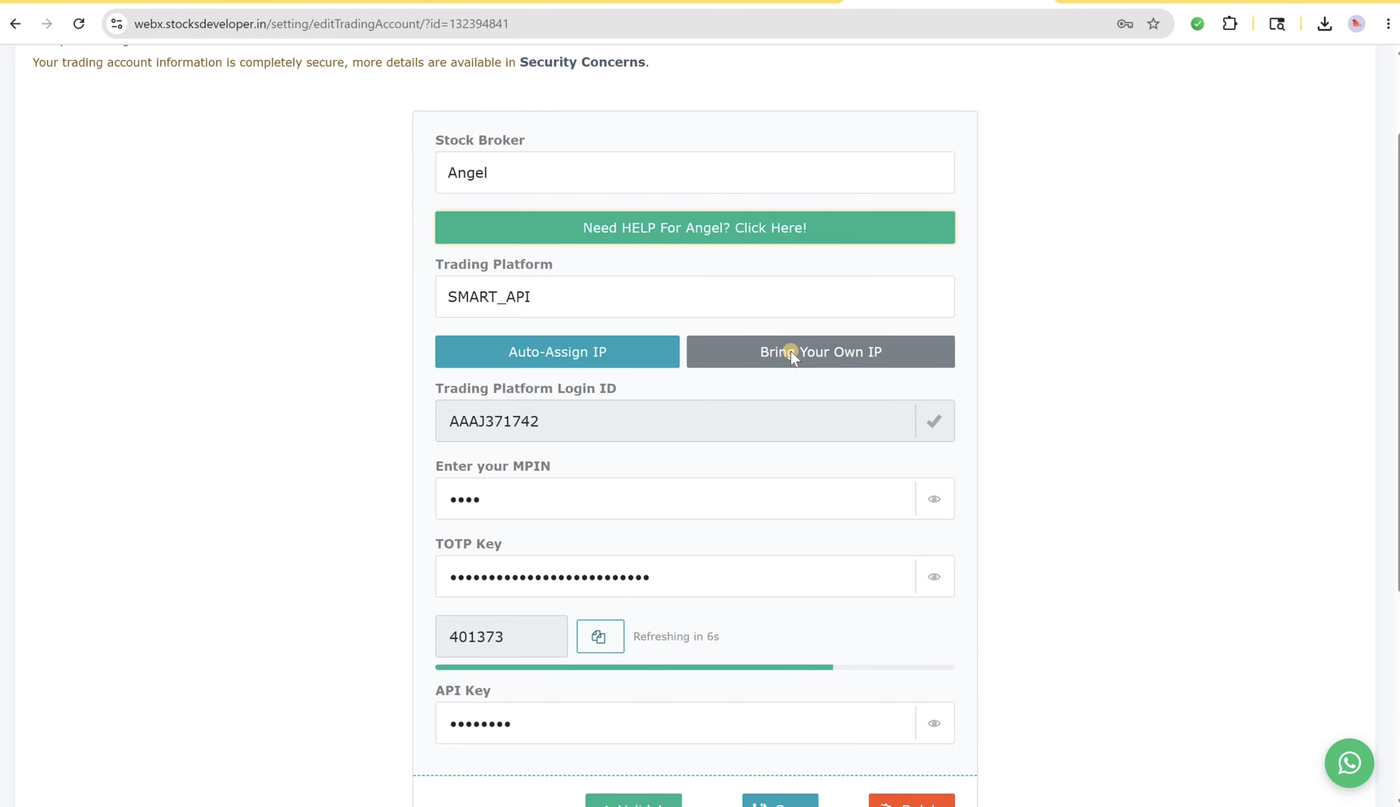 Angel One specifically requires Bring Your Own IP - StocksDeveloper's own free IP pool isn't available for Angel One accounts.
-
Pick your saved proxy from the Select Your Proxy list and click Select.
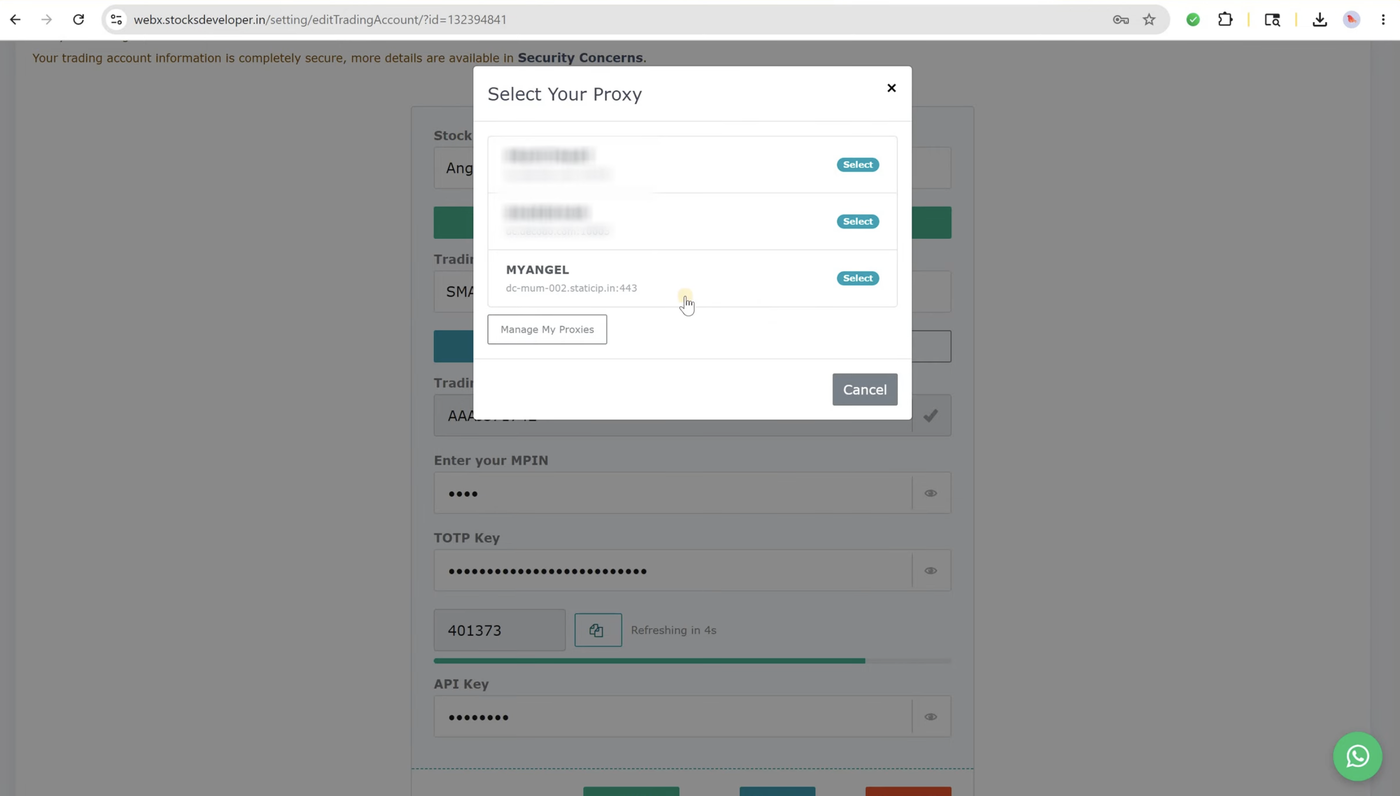 No proxy saved yet? Click "Manage My Proxies" from this same window to add one without losing your place.
-
Click Validate, then Save the account. StocksDeveloper confirms with an Applied message once it's linked.
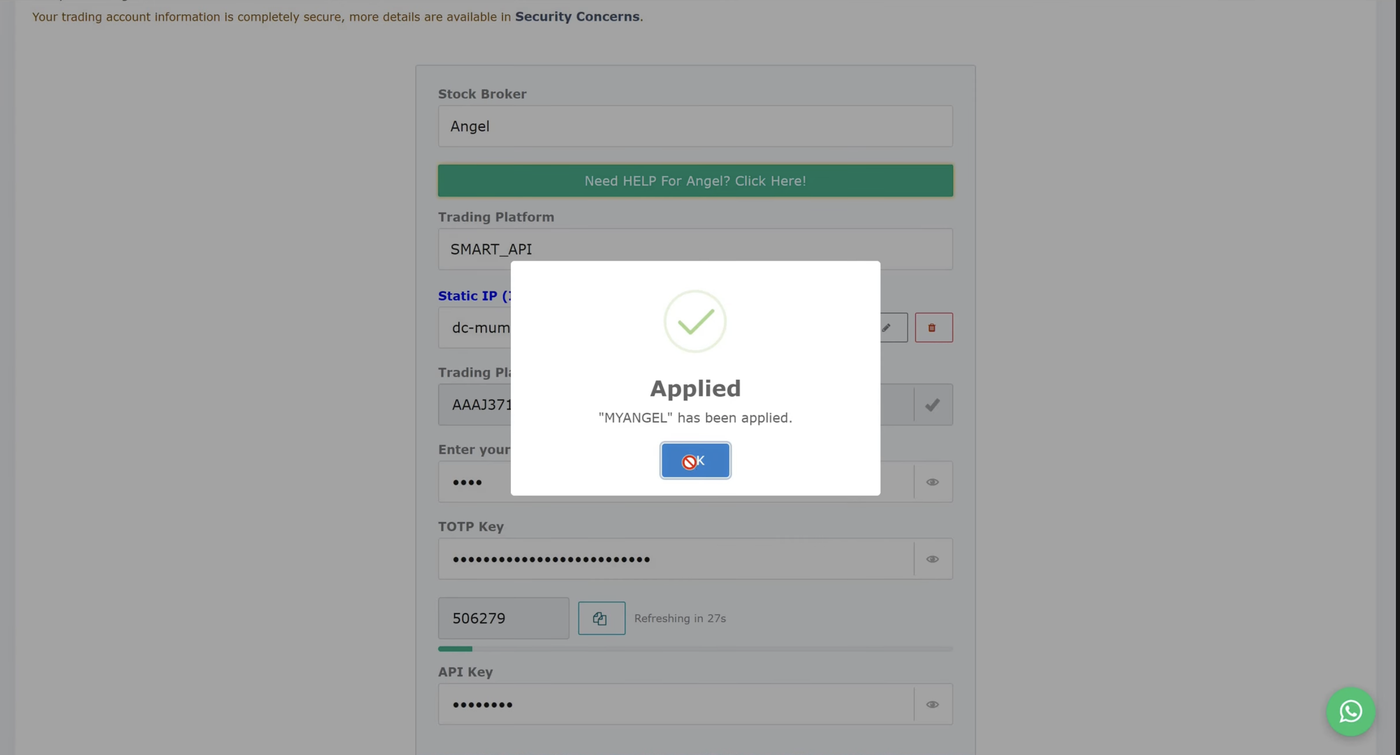 Still need to whitelist this same IP on your broker's own API/developer portal - StocksDeveloper applying it doesn't do that step for you.
Only one IP source can be active per account at a time - turning on Bring Your Own IP automatically removes any auto-assigned pool IP for that account, and vice versa.
Other tools we have guides for
Don't have a static IP yet?
SEBI-compliant IPv4/IPv6 from ₹100/month. Whitelist-ready in minutes.