Stoxxo by AlgoBaba Static IP Setup
Point Stoxxo's per-account Proxy setting at your dedicated StaticIP.in IP so every order for that account egresses from your broker-whitelisted address.
Your four values
Every entry below comes from your StaticIP.in dashboard, under an issued IP's details. The host shown
there will look like dc-mum-XXX.staticip.in - the exact number depends on which server your
IP was issued from, so use whatever your dashboard actually shows, not a fixed value. You can enter
either that hostname or the raw IP address in the Proxy IP field - both work identically.
HOST (OR IP)
dc-mum-…(dashboard)
PORT
443
USERNAME
sip_…
PASSWORD
••••••••
Tip: For Stoxxo specifically, we recommend entering the IP address itself in the Proxy IP field rather than the hostname - it saves a DNS lookup on every request (marginally faster) and avoids any confusion about which value goes where. Both work, but IP is the one we'd pick here.
Setup steps
-
Open Stoxxo and go to the User Settings tab. Find the row for the broker account you want to route through a static IP.
 Each row in User Settings is one linked broker account.
-
Scroll right along that row until you reach the Proxy column.
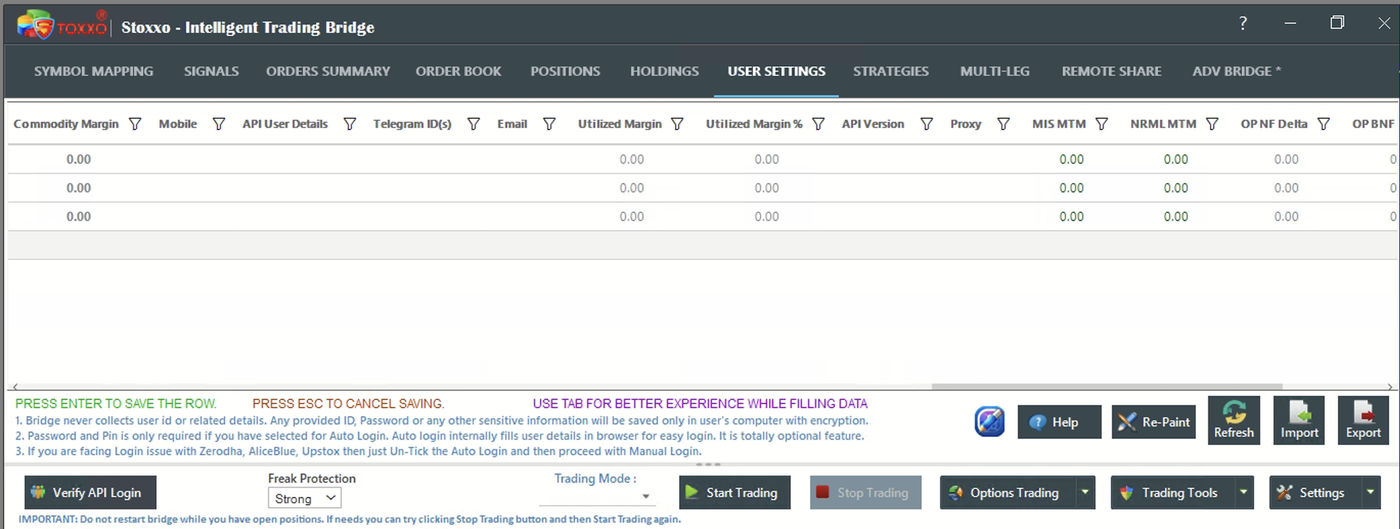 The Proxy column sits toward the right of the grid, after API Version.
-
Click the Proxy cell for that row - a "Set a Proxy for User" window opens, defaulted to No Proxy.
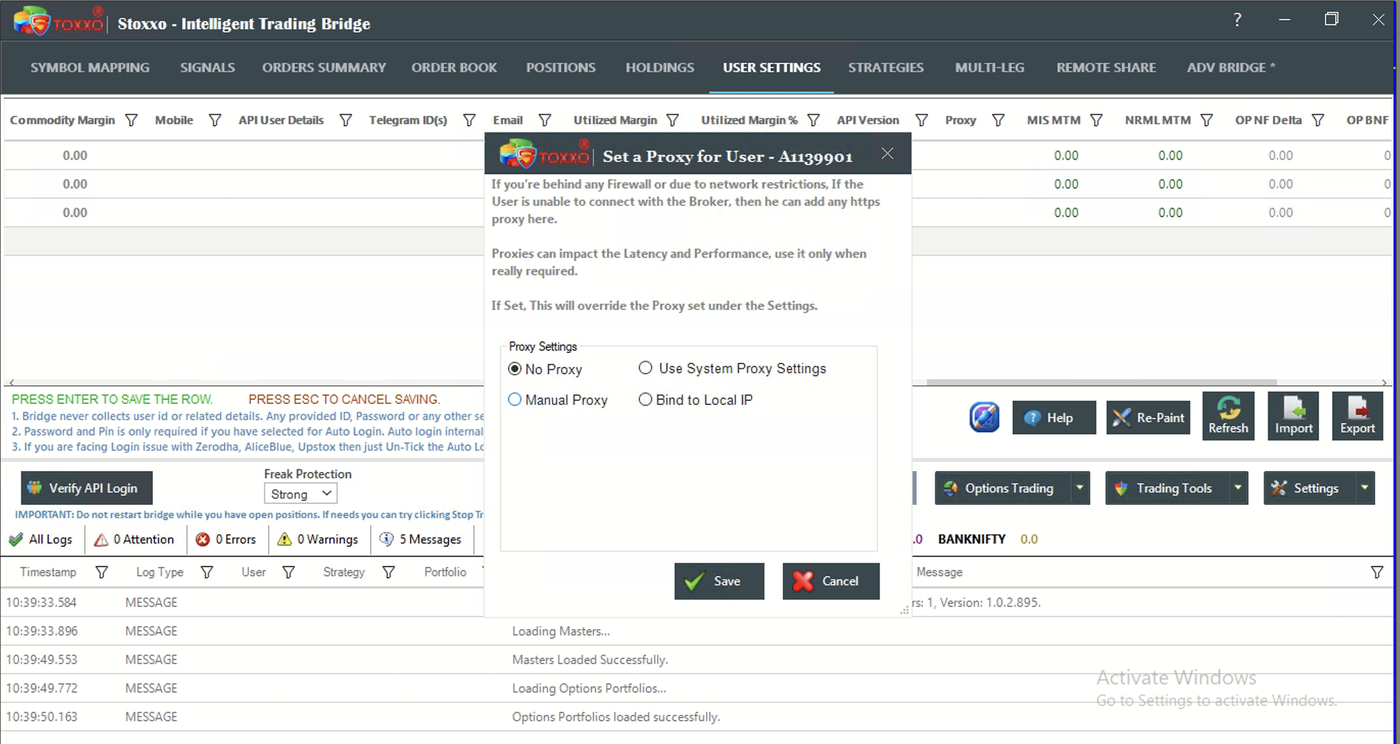 The dialog title shows your Stoxxo User ID, confirming you're editing the right account.
-
Select Manual Proxy, then fill in: Proxy IP = your StaticIP.in IP address (enter the IP itself here, not the hostname - it saves a DNS lookup on every request and is one less thing to mistype), Port = 443, User = your staticip_userid, Pwd = your staticip_password. Tick "Fetch Querying APIs like Order Book / Positions through Proxy" if you also want those routed through it, then click Save.
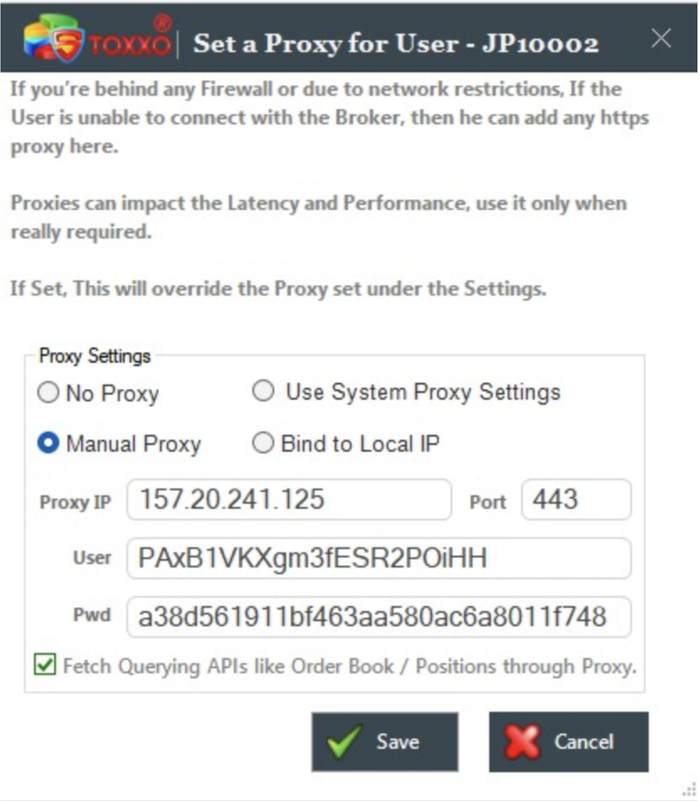 Proxy IP here is the IP address itself (not a hostname) - Port, User, and Pwd all come from your StaticIP.in dashboard too, not your broker's own API key/secret.
Verify it's working
From the top menu, open Trading Tools → Internet / API Response Time Check. Stoxxo logs the outgoing IP it's actually using.
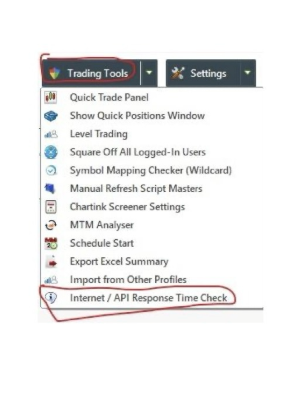
User:
Internet Response: IP: 165.101.250.128, Time (In Sec): 0.39
API Response for Margin: 0.00, Time (In Sec): 0.63
The IP shown here should match the static IP in your StaticIP.in dashboard - if it doesn't, the proxy isn't actually being used.
This overrides any proxy set under Stoxxo's global Settings, only for this one account - handy if only some of your linked accounts need to run through a static IP.
Other tools we have guides for
Don't have a static IP yet?
SEBI-compliant IPv4/IPv6 from ₹100/month. Whitelist-ready in minutes.